
Personal budgeting, made simple
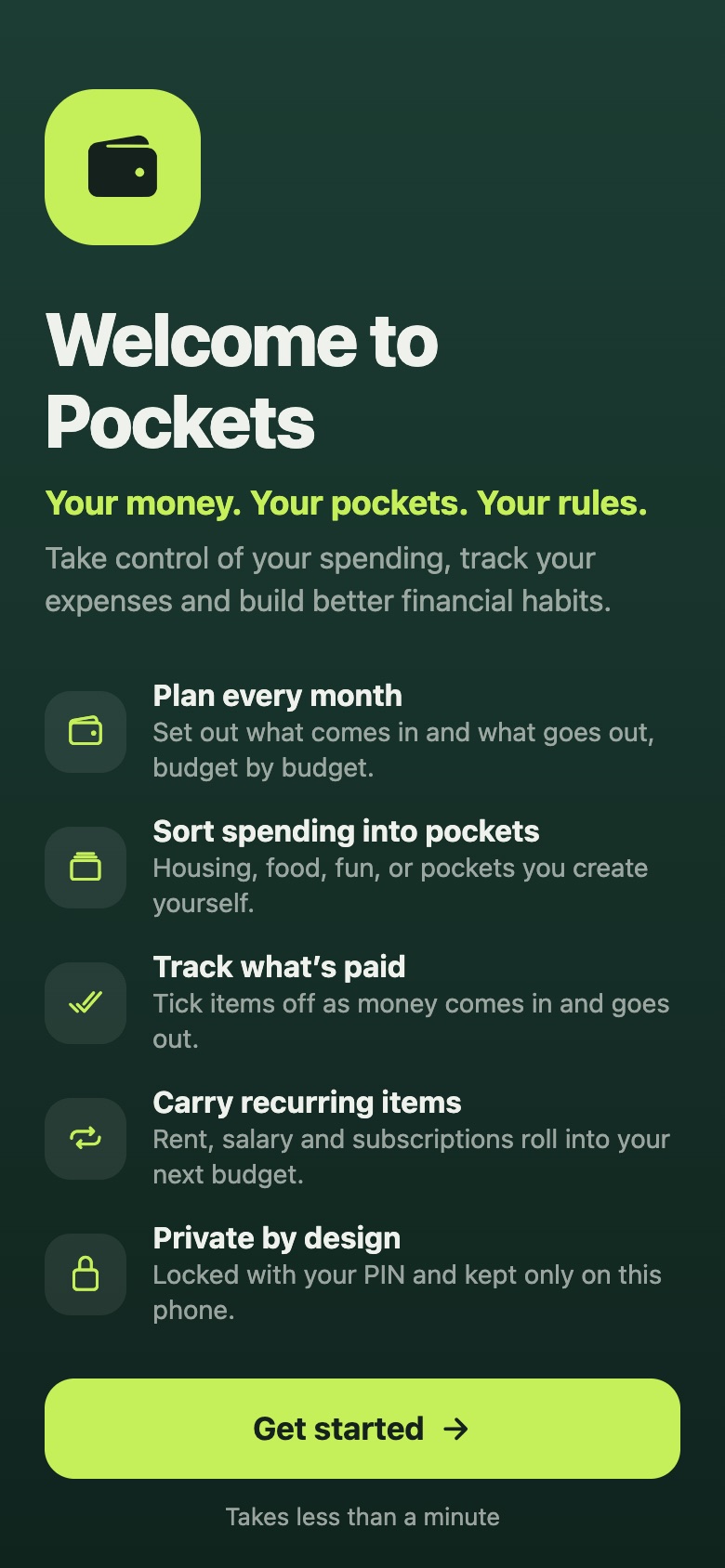
Your money.
Your pockets.
Your rules.
Take control of your spending, track your expenses and build better financial habits. All of it stays private, encrypted on your phone.
- No account needed
- No ads or tracking
- AES-256 encrypted
Features
Everything you need to budget,
nothing you don’t
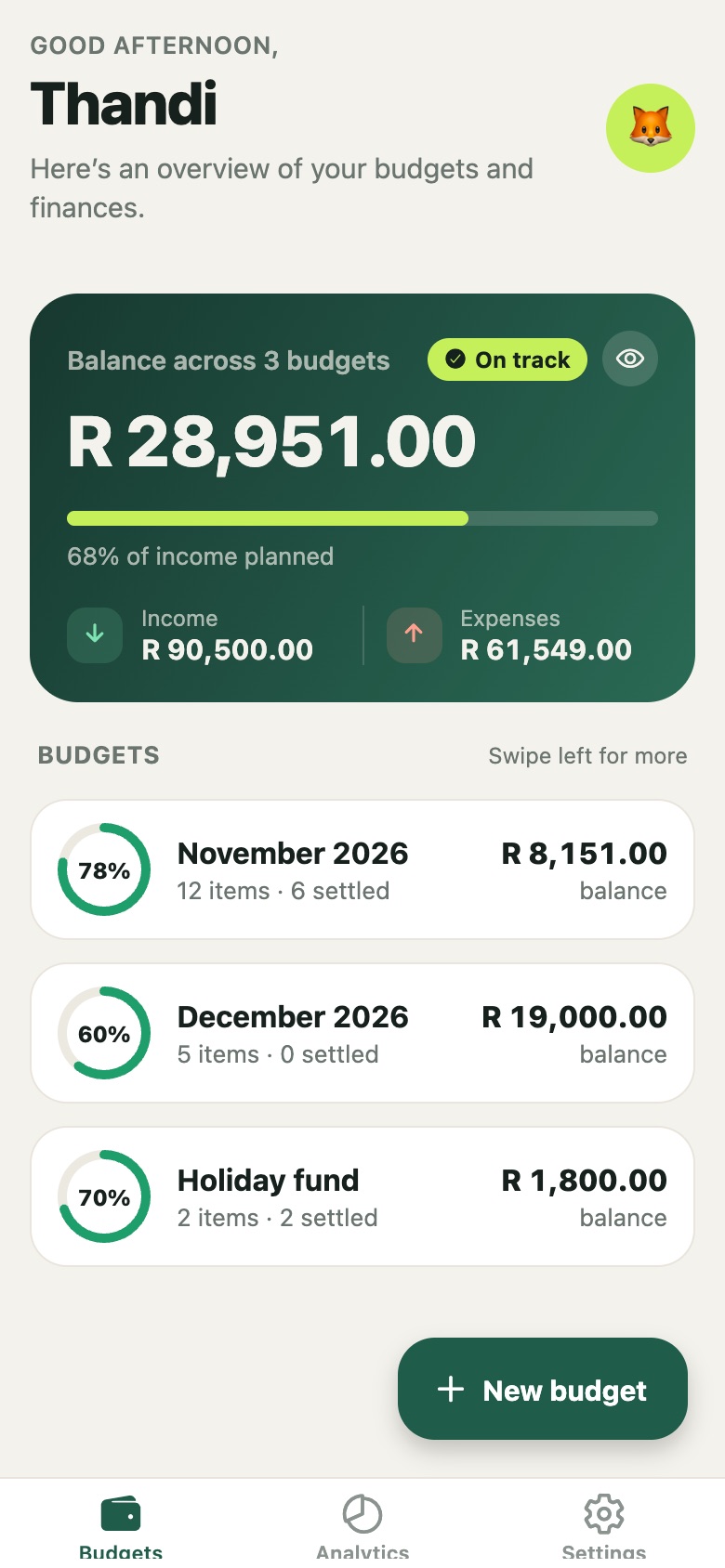
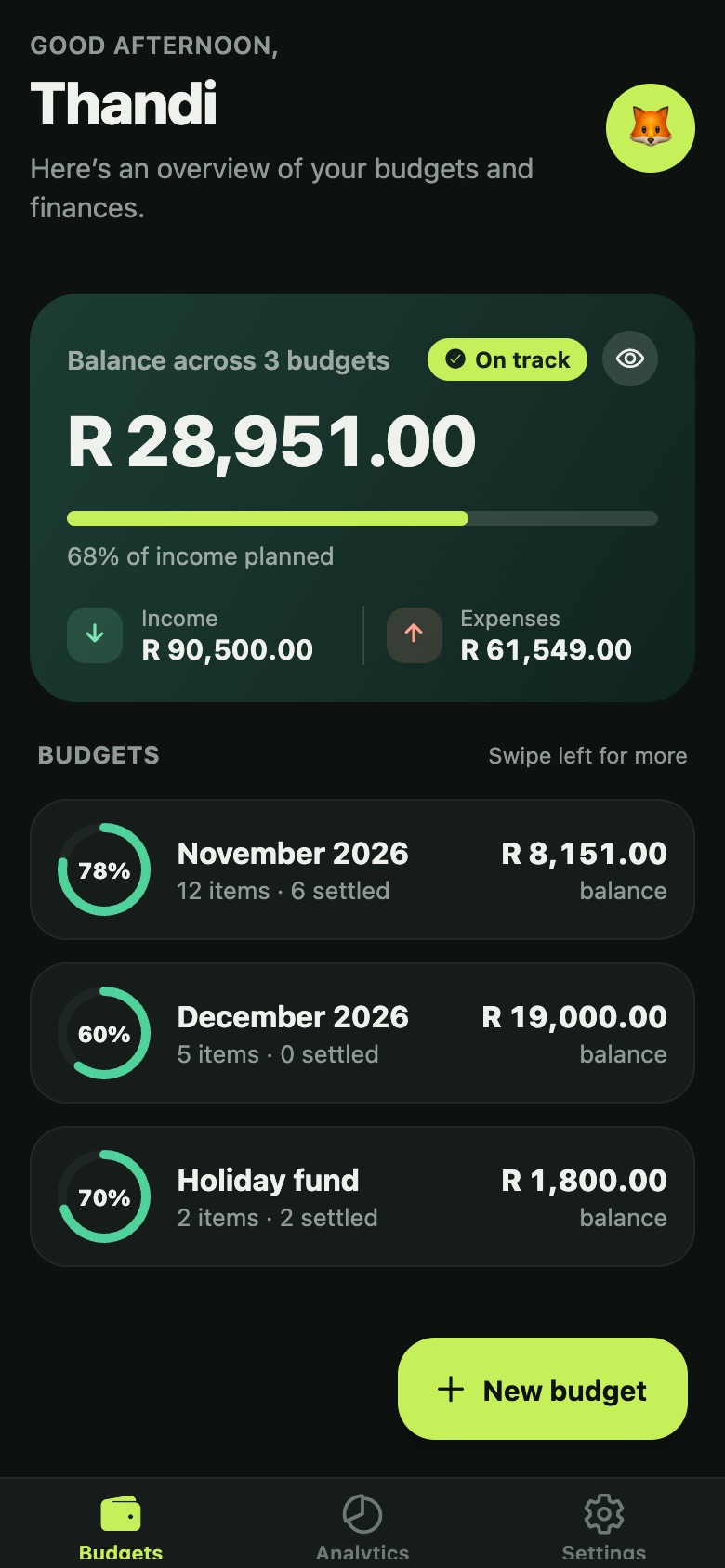
Every budget at a glance
Set up a budget for each month, a trip or a savings goal. One balance card shows where you stand across all of them, and each budget gets a progress ring for how much of its income is already planned.
- Greets you by name, with your own photo or emoji
- Tap the eye to blur your figures when someone’s looking
- Swipe a budget to rename, archive or delete it
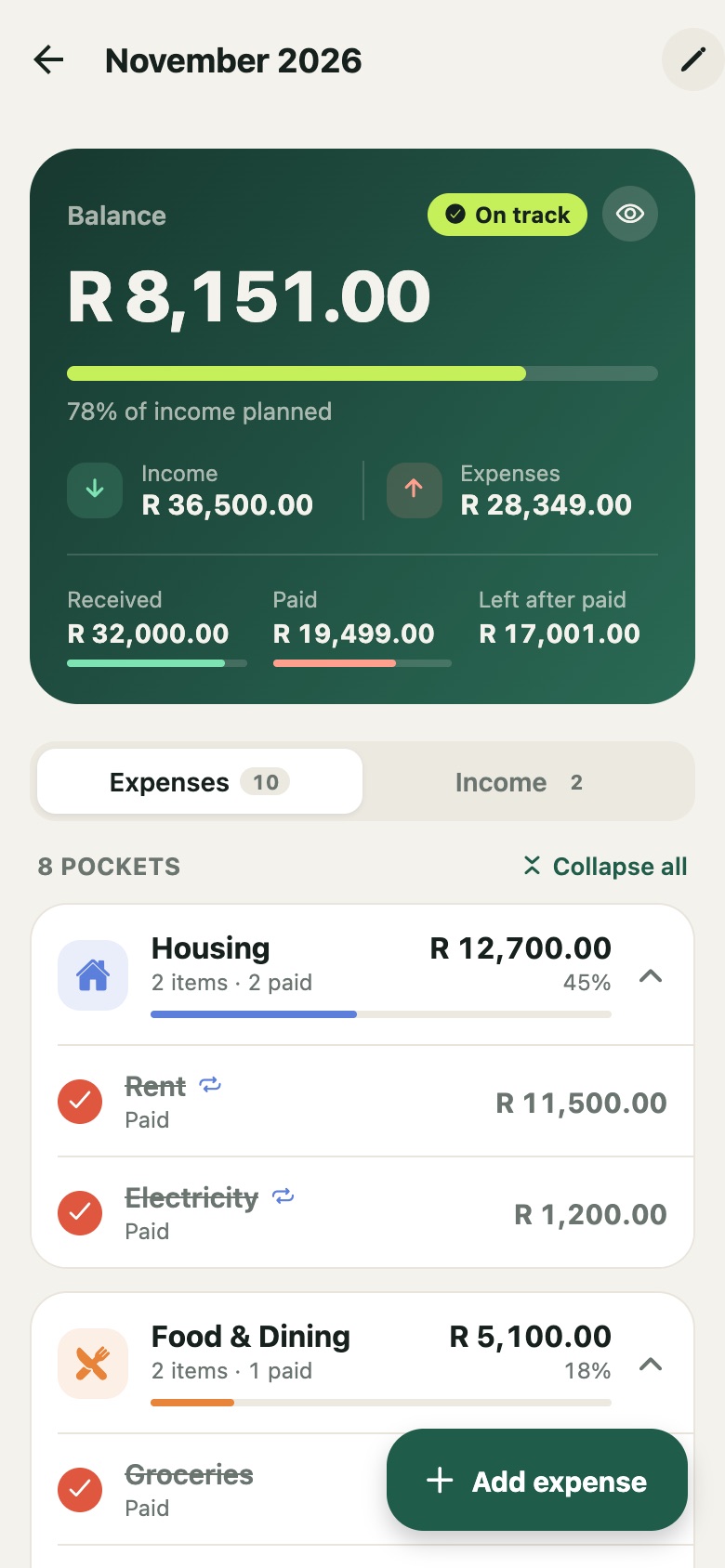
Sort your spending into pockets
Every expense lives in a pocket, like Housing, Food & Dining or Transport, so you can see at a glance where your money is going. Tick items off as they’re paid or received, and the balance card keeps score.
- Received, paid and “left after paid” totals
- Mark rent, salary and subscriptions as recurring
- Collapse pockets you’ve finished with
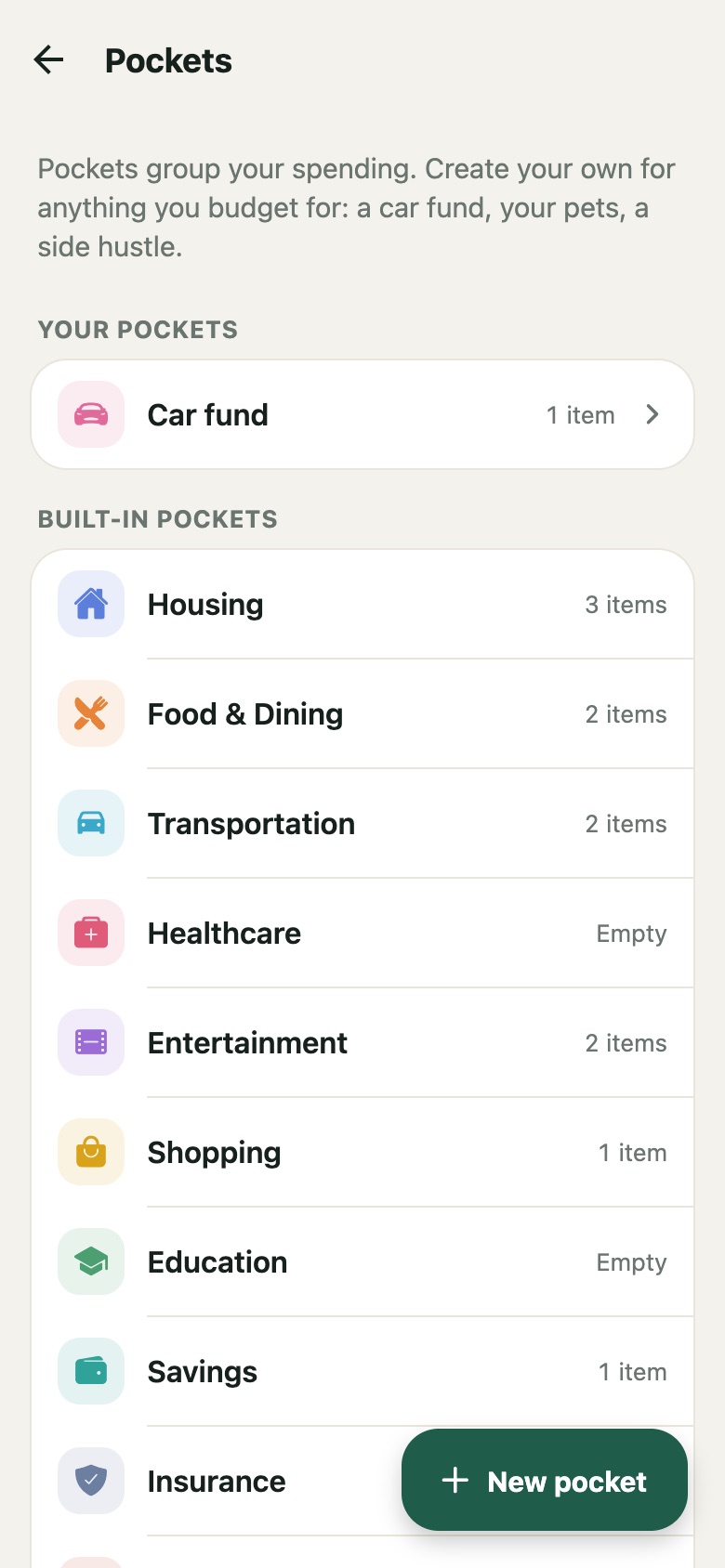
Create your own pockets
A car fund, your pets, a side hustle: if you budget for it, give it a pocket. Choose a name, a colour and an icon. Rename one and its items follow. Delete one and its items move safely to Other.
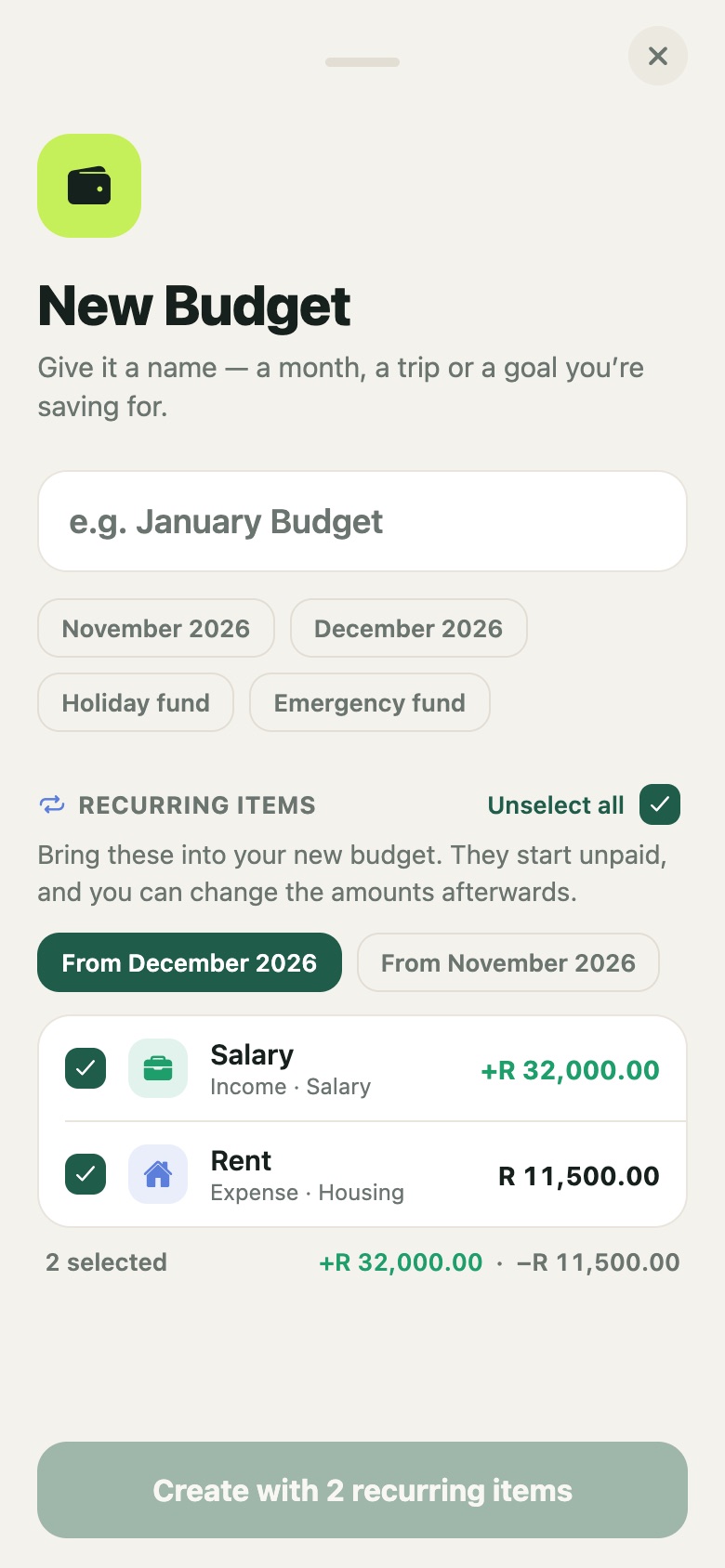
Start next month in seconds
When you create a new budget, Pockets offers your recurring items from a previous one. Select all, or just the ones you need. They start unpaid, and you can adjust the amounts afterwards.
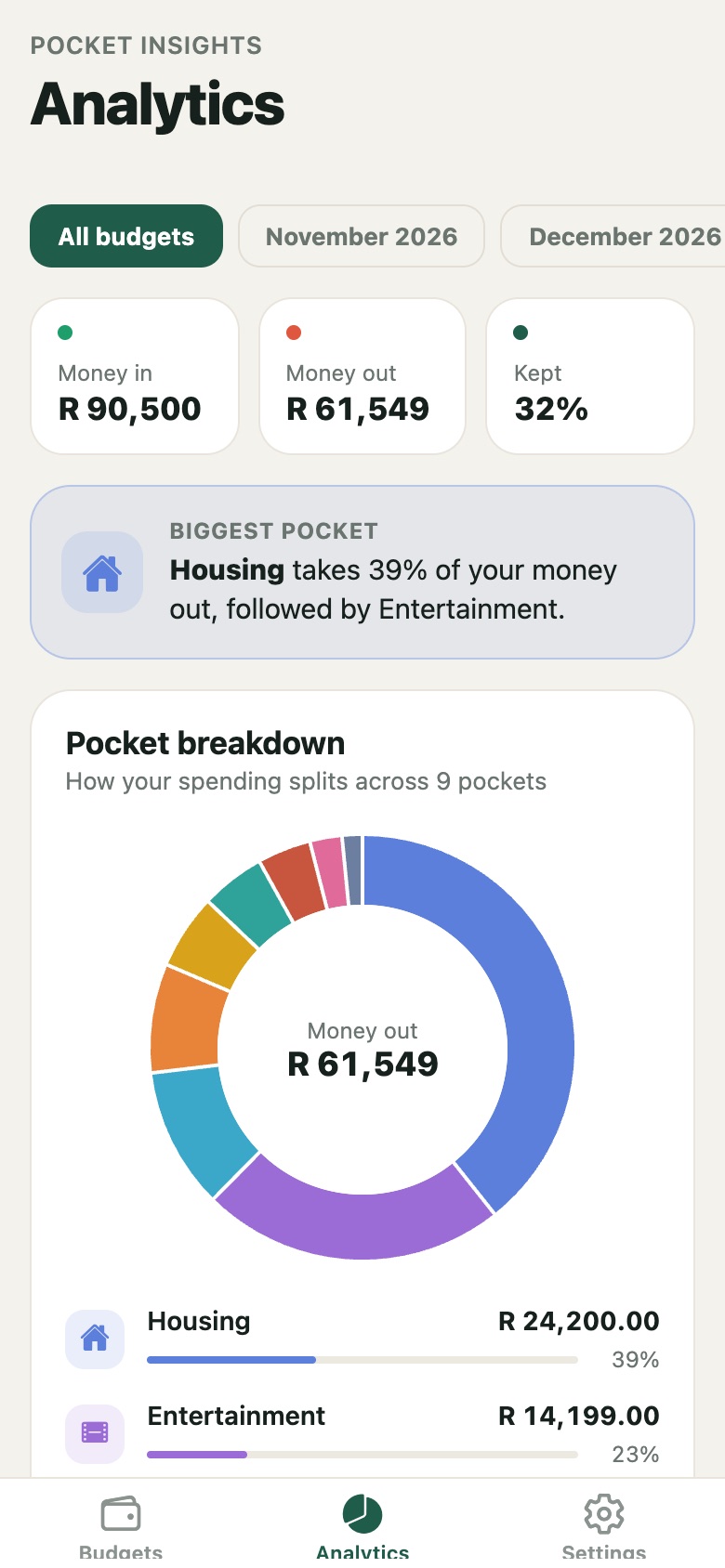
See where your money goes
Pocket insights compare money in and money out, show what share you kept, name your biggest pocket, and break your spending down pocket by pocket. Look at all your budgets together or one at a time.
Easy on the eyes, day or night
Light, dark or automatic themes, and any currency symbol you like.
PIN & Face ID
Unlock with a 4-digit PIN, Face ID, Touch ID or your fingerprint. Pockets locks itself when you leave it.
Gentle reminders
A nudge near month end if next month has no budget yet, and a weekly check-in when items are waiting to be ticked off.
Archive
Finished months become read-only records. You can still look back at them, and they stay out of your analytics.
Export
Share your budgets as a spreadsheet (CSV) or a full JSON copy, whenever you want.
Hide amounts
One tap blurs every figure on the overview. Handy on the bus.
Works offline
No internet, no sign-up, no waiting. Everything happens on your phone.
How it works
Up and running in a minute
-
1
Set up
Add your name and an optional photo, then choose a PIN. Turn on Face ID if you like.
-
2
Create a budget
Tap New budget and name it, for example “December 2026” or “Holiday fund”.
-
3
Fill your pockets
Add your income, then your expenses, each in a pocket. Mark the ones that repeat every month as recurring.
-
4
Tick things off
As money comes in and bills get paid, tick each item off and watch your balance update.
-
5
Roll into next month
Archive the month that’s done, then start the next one with your recurring items already in place.
Good to know
- Swipe left on a budget for rename, archive and delete.
- Settings → Pockets is where you create and edit your own pockets.
- Settings → Your data has your archived budgets and the export.
- Forgot your PIN? Reset app on the lock screen starts fresh. Because your data only exists on your phone, this erases it, so export a copy now and then.
Privacy
Your budget is nobody’s business but yours
Pockets has no servers, no accounts and no cloud. We couldn’t see your data even if we wanted to.
- Budgets and settings are encrypted on your phone with AES-256-GCM
- The key stays in your phone’s secure keychain and never leaves it
- Your PIN is stored only as a one-way hash. Face ID is handled by your phone
- No advertising, no analytics, no tracking
Questions
Frequently asked
Do I need to create an account?
No. Pockets works the moment you install it. There’s nothing to sign up for.
Does Pockets connect to my bank?
No. You add your income and expenses yourself, which keeps you in control and keeps your bank details out of the app.
What happens if I lose my phone?
Your data is locked behind your PIN and encrypted, so it’s safe. It also isn’t backed up anywhere, so use Settings → Export now and then to keep your own copy.
Which devices does it run on?
iPhone and Android phones. Pockets is coming soon to the App Store and Google Play.
How do I delete my data?
Delete a budget by swiping it, or erase everything with Forgot PIN? → Reset app on the lock screen. Uninstalling the app also removes everything.